Your presentation is your product.
For law, consulting, and advisory firms, the deck is what clients see, judge, and pay for. That makes a presentation ecosystem product design: one system behind every slide, every team, and every late-night pitch turn. Then we move your existing library onto it, so the rebrand is finished on day one, not year three.
At DEG London? Get the free Brand Fidelity Toolkit
Selected Recent Transactions
Northfield Energy PartnersRepresented Northfield Energy Partners, a leading independent power producer, in connection with its acquisition of a 1.2GW portfolio of solar and storage assets located across three states, including negotiation of the purchase agreement, tax equity and related financing arrangements.
Halberd Logistics GroupAdvised Halberd Logistics Group on its cross-border merger with a European freight operator, including antitrust filings in multiple jurisdictions, employment matters and the integration of IT systems and data privacy compliance.
Corran Health SystemsActed as counsel to Corran Health Systems in the refinancing of its senior secured credit facilities and issuance of notes, together with related amendments to existing agreements and lender negotiations.
Ostrava CapitalRepresented Ostrava Capital in the formation of its fourth infrastructure fund, including structuring, investor negotiations, side letters and regulatory matters across several jurisdictions.
Brightwater Foods Inc.Advised Brightwater Foods Inc. in the sale of its frozen foods division to a strategic buyer, including carve-out structuring, transition services and the related intellectual property license arrangements.
Teller MobilityCounsel to Teller Mobility in its Series D financing and subsequent acquisition of a fleet software provider, including diligence, governance matters and equity incentive plan amendments.
Selected transactions
Six deals. Four sectors. One year.
Energy2025
1.2GW
Northfield Energy
Solar and storage acquisition
Logistics2025
Cross-border
Halberd Logistics
Merger with EU freight operator
Healthcare2025
Refinancing
Corran Health
Senior secured facilities and notes
Funds2025
Fund IV
Ostrava Capital
Infrastructure fund formation
Consumer2025
Carve-out
Brightwater Foods
Sale of frozen foods division
Technology2025
Series D
Teller Mobility
Financing and add-on acquisition
VELLMONT ROWE
Revenue by Region FY21 - FY24 ($M)
- Revenue grew in all regions over the period, with Asia-Pacific showing the strongest growth (see chart above for details)
Revenue by region, FY21 to FY24
Asia-Pacific tripled.
Everyone else held steady.
3.1x
Asia-Pacific revenue grew from $62M to $193M, and is now level with North America.
FY24 revenue. Shaded portion shows FY21.
VELLMONT ROWE
Our Approach
- Initial meeting with key stakeholders to understand objectives, requirements and timeline for the engagement
- Comprehensive review of existing documentation, contracts, policies and procedures
- Identify gaps and potential risks
- Benchmark against industry best practices
- Development of recommendations and a detailed implementation plan with milestones
- Implementation support including drafting, negotiation and coordination with third parties as required
- Ongoing monitoring, reporting and periodic review to ensure continued compliance and effectiveness going forward
How we work
Four steps from first call to lasting results.
Weeks 1 to 2
Listen
Meet your stakeholders and agree the goals.
Weeks 3 to 5
Review
Find the gaps and risks in what exists today.
Weeks 6 to 10
Build
Draft, negotiate, and put the plan in motion.
Ongoing
Sustain
Monitor, report, and adjust as things change.
VELLMONT ROWE
Drag the yellow handle, or tap Before and After. Same content, designed as a system. Illustrative slides for a fictional firm.
What changes when the system works.

Faster builds
Pitch decks come together from ready layouts, not blank slides and old files.

Smaller files
Clean masters and right-sized media, so decks travel by email again.

Easier to use
Anyone on the team can update a deck without breaking it, or calling design.
Presentation ecosystems are product design.
A presentation ecosystem is a single PowerPoint slide master, its layouts, the matching Word templates, and the add-ins and conversion tools that keep a firm's decks on brand after launch. We design it like a product: researched with the people who use it, built as one system, tested before release, and maintained in numbered versions.
- Executive storylines and credential pages
- Tombstones and bios with smart fields that survive a layout change
- Copy and paste that keeps formatting across every variant
- Slides and Word documents that match, end to end, down to the Design tab colors and fonts
- Accessibility and compliance built in
- Add-ins and automation: a one-click Convert button, proposal-automation hooks, Ampler where it fits
- Legacy library conversion, with an untouched copy saved before anything changes
- Training, governance, and a numbered update cadence after launch
Every variant, one system.
US Letter, A4, and right-to-left share the same layouts and placeholders. Content moves between offices and languages without breaking.
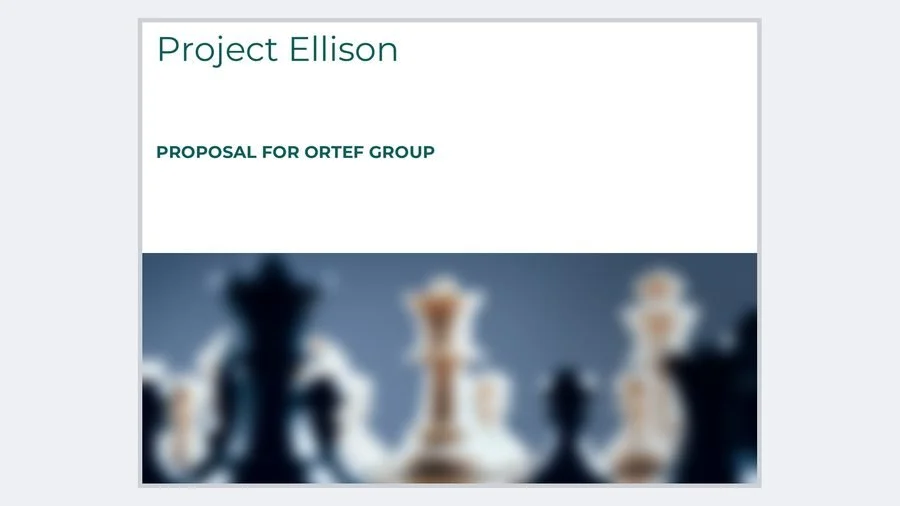
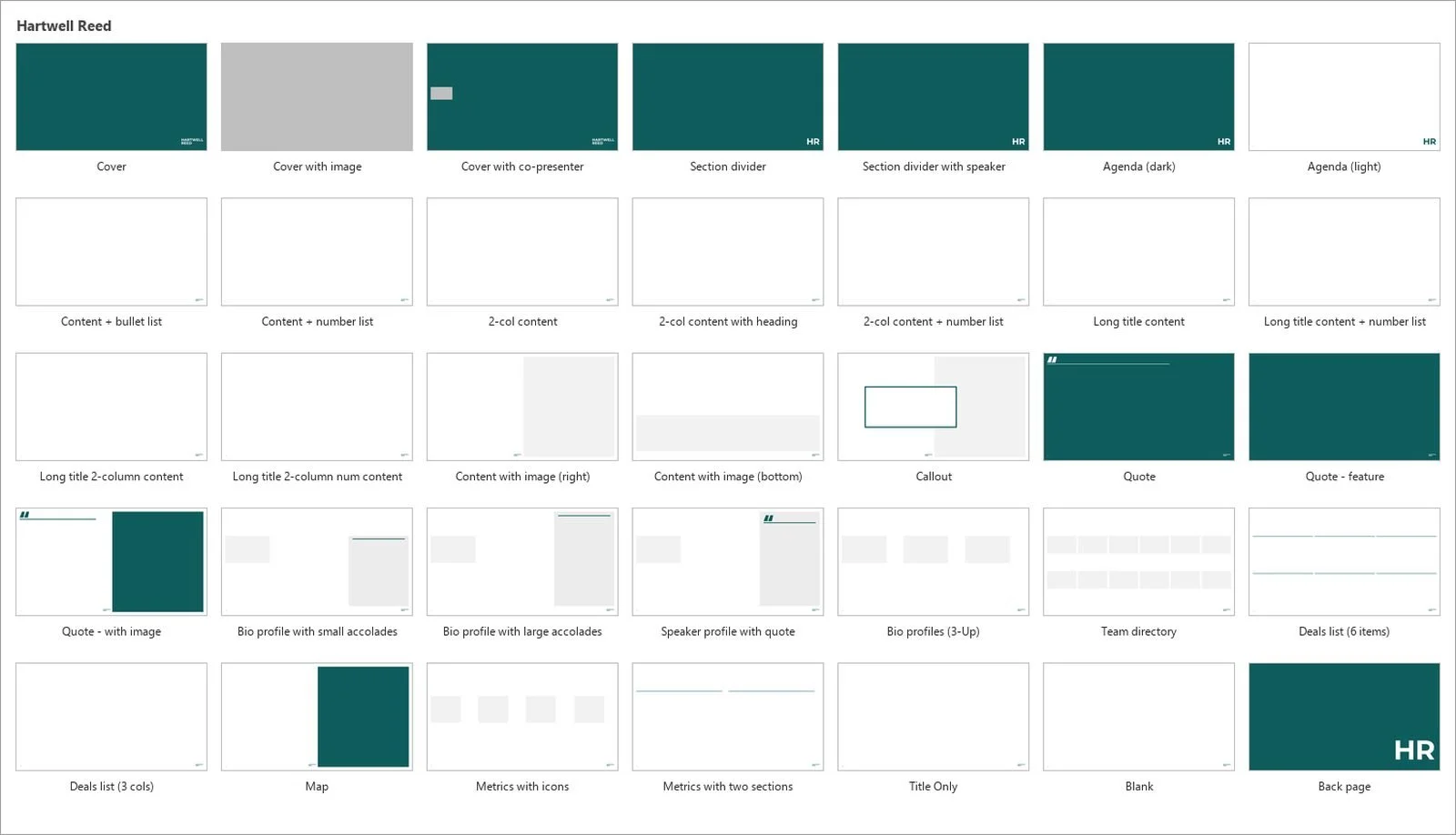
Meet the Convert button.
A new template doesn't rebrand a firm. The thousands of decks people reuse do. So every system we ship comes with a button that moves an old deck onto the new brand in one click. Try it.
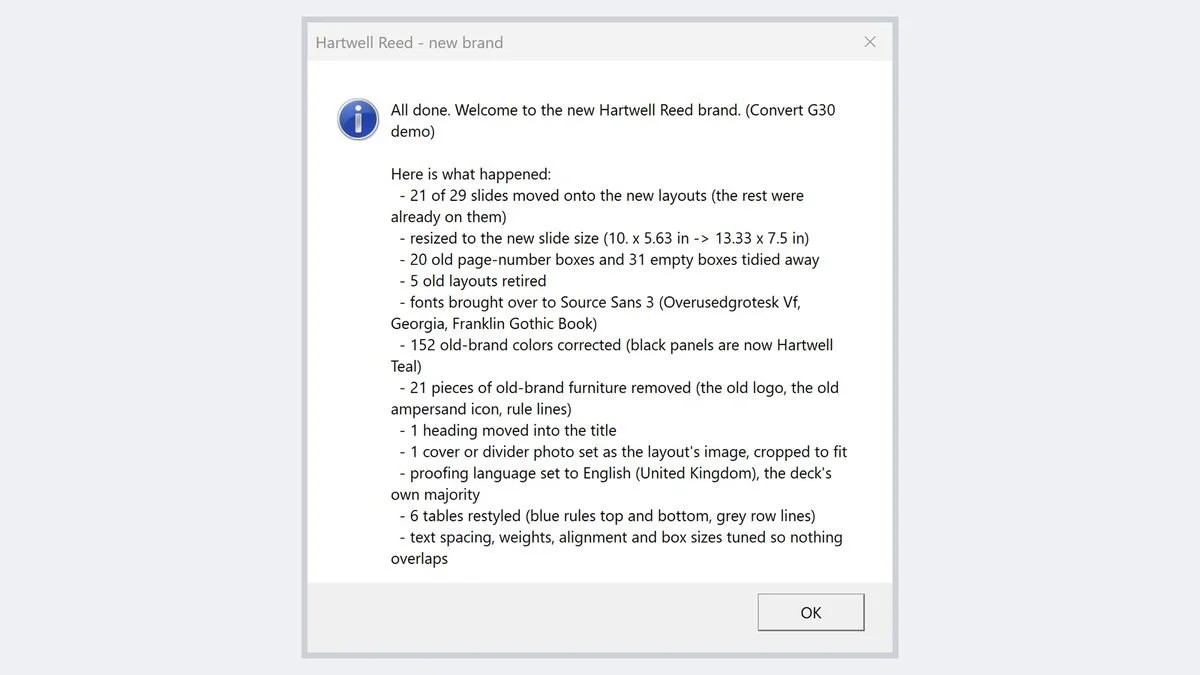
That's the real summary from a run on a 29-slide demo deck. Every change is listed, so nothing happens silently, and the original is saved right next to it.
One click
Layouts, fonts, colors, tables, footers, and proofing language move onto the new masters.
Nothing lost
An untouched copy is saved first. One bad slide never stops the run; it's listed, and the rest finish.
Automation kept
Proposal-automation names, tags, and properties stay intact, so a converted deck is still a live deck.
Honest about limits
Photos, hand-drawn diagrams, and pasted screenshots are flagged for review, not silently redesigned.
Tested on your library
Every release runs against a set of your own legacy decks before anyone else sees it.
Demo slides and tool shown for a fictional firm. Every Convert button we ship is built for the firm's own templates.
Template health check.
Seven questions you can answer without opening a single file. If you run marketing, brand, or creative services, you already know these answers.
Are people working from more than one template, or from a "final_v3" file someone emailed around?
Do clients or partners say your slides are too cluttered or hard to follow?
Is your creative or design team swamped with PowerPoint requests and last-minute fixes?
Do old logos, colors, or fonts still show up in decks that go to clients?
Does a pitch deck take days because people hunt for the latest slides or rebuild them from scratch?
When someone pastes slides from another deck, does the formatting break?A sign the layouts don't share one structure.
Do new charts and tables come out in Office default colors?A sign the theme isn't doing its job.
Answer the seven questions to see where your templates stand.
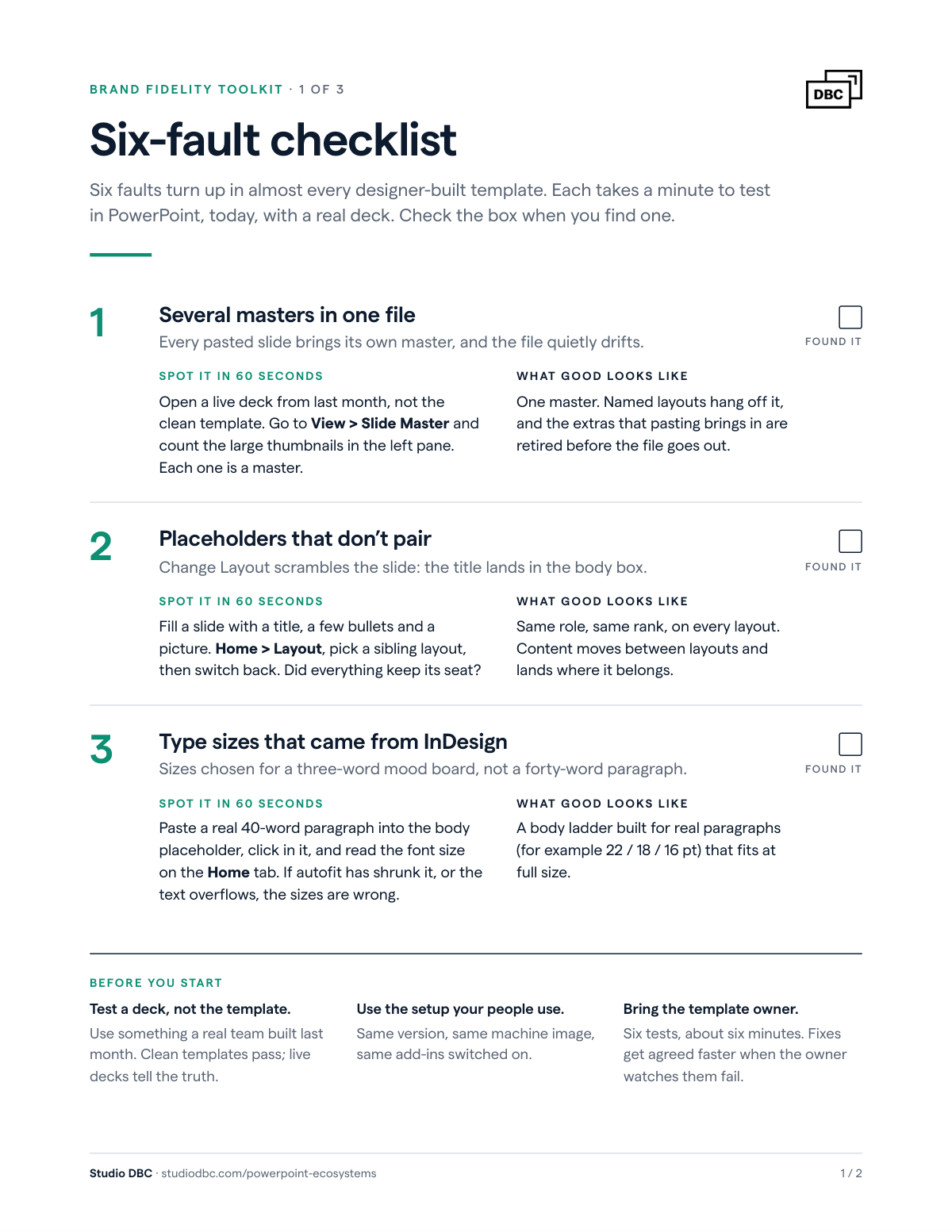
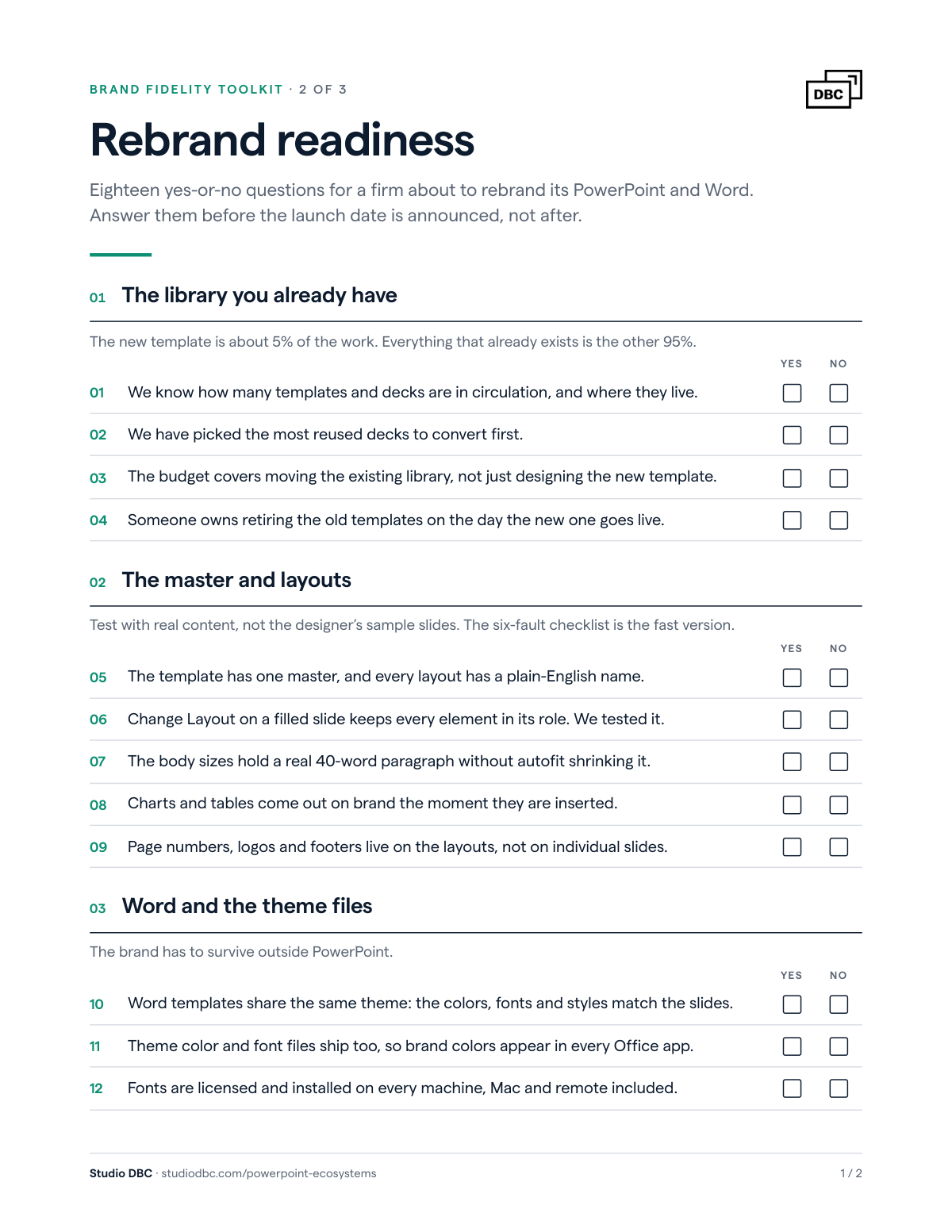
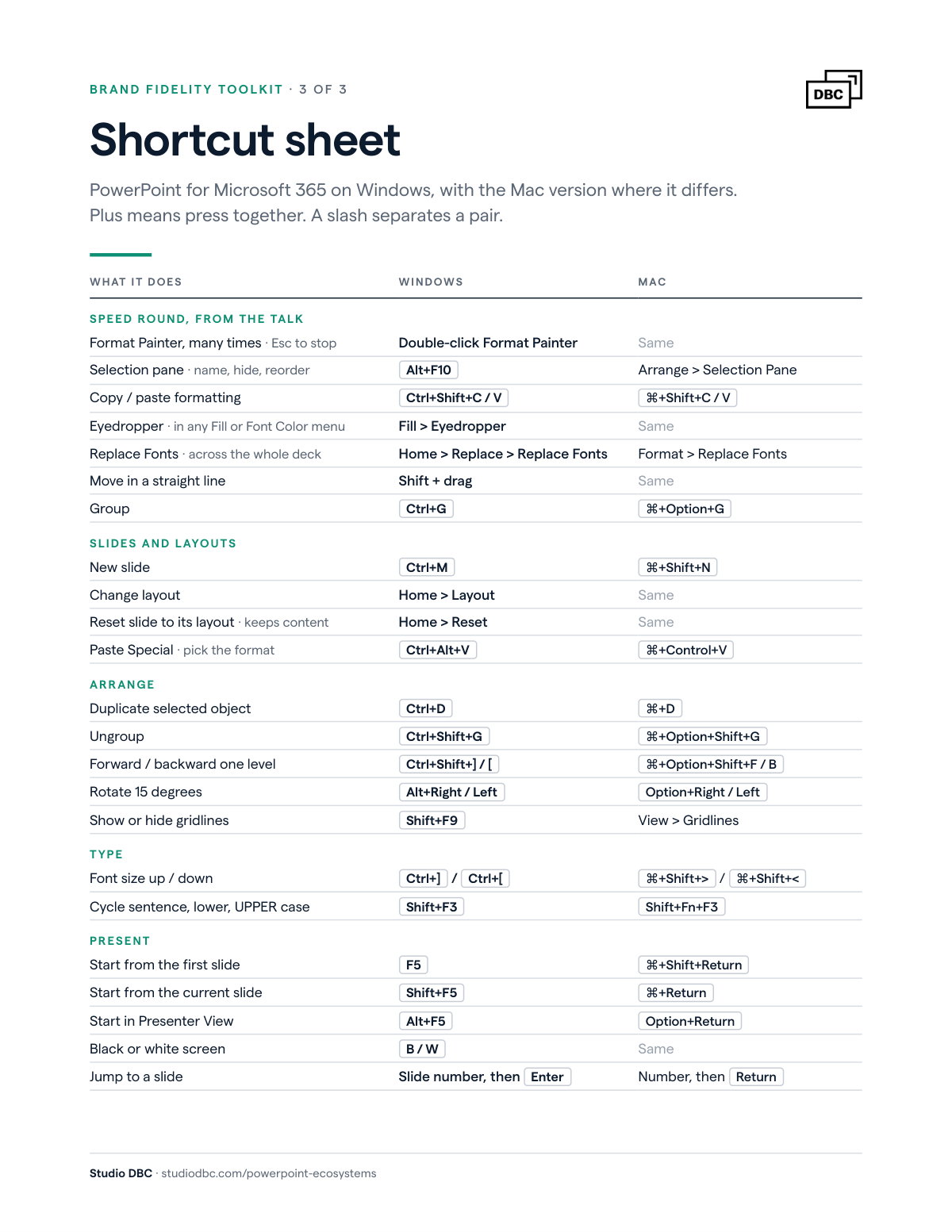
Free download
Brand Fidelity Toolkit
From The Rebrand Playbook, DEG London, October 2026.
Want the audit? Get a proposal
Deployment and IT.
IT asks the same questions at every firm. We answer them before they're asked.
What runs on the machine?
A signed ribbon add-in, or a VBA module inside the firm's existing add-in. No new executables and no changes to security settings.
Where do the templates live?
In one folder that the tools find automatically. Moving it means changing one setting.
How do we update it?
Numbered revisions, a changelog, a kit audit before every release, and a README written for IT, not designers.
What about teams who can't wait for the rollout?
A self-install interim route that needs no admin rights and uninstalls in a minute.
Does it work on Mac?
Yes. We provide a separate Mac build when the firm has Mac users.
Problems we fix that you didn't know you had.
Each one looks like "the template is broken." None of them is.
Muddy headings
Bold applied on top of a font that's already bold, doubling the stroke.
Set in the style, so nobody has to remember.
Change Layout scrambles your content
PowerPoint matches placeholders by a hidden order, not by name.
One ID scheme every layout shares.
The wrong slide size after conversion
One stray legacy layout can make a widescreen deck look like A4.
Check size before layout, every time.
Brand colors missing in Word
The theme was deployed, but the color and font scheme files weren't.
Ship both, and test them in Word.
Bold that never switches on
A custom font with its weight set wrong inside the font file.
Corrected at the source, checked on every machine.
Photos drifting off the slide
After conversion, the layout's picture placeholder isn't recognized.
Fixed, then regression-tested on real decks.
Presentation ecosystems we've built.
For some of the world's most demanding presenters.
PowerPoint + Word, 2026
Fully deployed PowerPoint and Microsoft Word ecosystem in a Global Top 10 law firm. US, A4, and right-to-left variants on one master, matching Word templates, and a one-click Convert button for the legacy library.

Ecosystem + tools, 2024
From BBC Studios America to a global standard.
We started in America, built a presentation ecosystem with a cinematic look, then bridged the gap to a global standard for presentations. The new tools work in both PowerPoint and Google Slides.

Ecosystem + refresh, 2019 and 2024
Introduced presentation ecosystems to the organization in 2019, refreshed for greater impact in 2024. Press play to see how we built a better way to make presentations.

Ecosystem + tooling, 2022
Deployed new U.S. and U.K. standard presentation ecosystems and revamped the firm's recurring templates, then rolled out Ampler organization-wide so every team builds from the same system.

Standards
Presentation styles changed organization-wide for clearer strategic communication.

Presentation design, 2021
Investor Day presentation, Q2 2021. Acquired by Pfizer, Q4 2021.
 Where we come from: former Bain & Company team members, with 14+ combined years of presentation design experience for Bain and other management consulting firms.
What we build.
Pick what you need, in the order that fits your firm. Every piece stands on its own.
Select the pieces you're interested in and we'll scope them together.
Get a proposalHow an engagement runs.
Most engagements cover three kinds of work. We take them in whatever order your firm needs.
Audit
Watching how decks are actually built, and taking stock of what the old library contains.
Build
Masters, themes, Word, and automation hooks. Every change numbered, every build tested in real PowerPoint on your machines, not ours.
Convert and roll out
The Convert button, the IT package, the interim route for teams, and training. Then a tune-up after launch.
At the end of every conversation we have, we aim for you to say:
“This was the easiest meeting of my day.”
Updated October 2026.